Import Playblast into Edit
Returning to your edit .blend file, you can now load the playblast from the shot file into the edit.
- Open your edit .blend file by navigating to
Project > Open Edit.
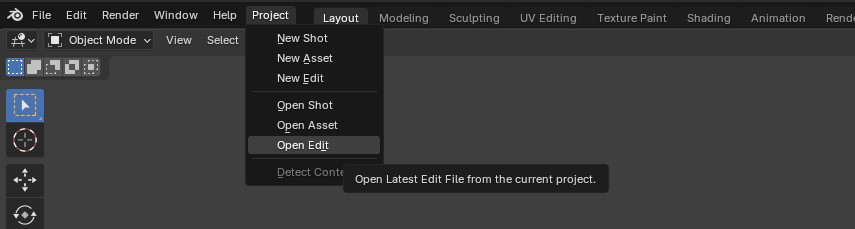
- Select the Metadata Strip associated with your shot.
- From the Sequencer Side Panel, select
Import 1 Shot Playblast.

- Select the Task Type you would like to load the playblast from and an empty channel.
- Your new playblast will be imported with the same timing as the corresponding metadata strip.